Monday, April 11, 2011

Password confirmation using Zend Form and Validators | Thoughts, Codes and Games

Password confirmation using Zend Form and Validators | Thoughts, Codes and Games

A while back i needed a password confirmation field for my users. I looked and found this neat little snippet. I cant remember who created it originally so i cant give credits to the person but its quite easy to use. Just add this to your library and create a new validator object like this.
class App_Validate_PasswordConfirmation extends Zend_Validate_Abstract {
const NOT_MATCH = 'notMatch';
protected $_messageTemplates = array(
self::NOT_MATCH => 'Password confirmation does not match'
);
public function isValid($value, $context = null) {
$value = (string) $value;
$this->_setValue($value);
if (is_array($context)) {
if (
isset($context['password_confirm']) &&
($value == $context['password_confirm'])) {
return true;
}
} elseif (is_string($context) && ($value == $context)) {
return true;
}
$this->_error(self::NOT_MATCH);
return false;
}
}
This would be in your form where you want to have password confirmation.
$passwordConfirmation = new App_Validate_PasswordConfirmation();
$password = $this->addElement('password', 'password', array(
'filters' => array('StringTrim'),
'validators' => array(
$passwordConfirmation,
array('Alnum'),
array('StringLength', false, array(6, 100)),
),
'class' => 'input-text',
'required' => true,
'label' => 'Password',
));
$password_confirm = $this->addElement('password', 'password_confirm', array(
'filters' => array('StringTrim'),
'validators' => array(
$passwordConfirmation,
array('Alnum'),
array('StringLength', false, array(6, 100)),
),
'class' => 'input-text',
'required' => true,
'label' => 'Confirm Password',
));
view raw snippet.php This Gist brought to you by GitHub.

Thursday, April 7, 2011

PHP ereg 正则表达式_景安数据李怀丽_新浪博客

PHP ereg 正则表达式_景安数据李怀丽_新浪博客

通常上, 正则表达式会用到以下的几个"符号":
^ - 代表字串前面一定要有这样的字, 如^http://, 代表前面一定要有http://
$ - 代表字串后面一定要有这样的字.
? (一个问号) - 它代表一个或没有字元
* (一个*) - 它代表没有或者更多前面的字元
. (一个句点) - 它代表任何一个字元
+ (一个加)
- 它代表至少一个或更多前面的字元
[xyz] - 它代表任何一个字元, 或x, 或y, 或z
[a-z] - 它代表任何一个字元, 由a至z
[[:alnum:]] - 代表由a至z, 0至9
[[:digit:]] - 代表由0至9

当使用正则表达式时, 必需注意ereg及eregi可大大不同喔~
ereg是非常敏感的 (意即大小字母都分得非常清楚), 而eregi则不是 (只要记着i代表case-insensitive就可以了)

这里举一些例子:

$regexp = eregi("a?c", "abc"); //-- 这是对的, 因?可以代表"一个"或没有字元
$regexp = eregi("a?c", "ac"); //-- 这也是对的, 因?可以代表一个或"没有"字元
$regexp = eregi("a?c", "a"); //-- 这样就不对了, 纵使有a, 可是还是要有c

$regexp = eregi("[abc]", "a"); //-- 这是对的, 因a是大括号里的其中一个字元
$regexp = eregi("[a-z]", "c"); //-- 这是对的, 因c包括在a至z里
$regexp = eregi("[a-z]", "0"); //-- 这是不对的, 因0并不包括在a至z里面

$regexp = eregi("a.c", "abc"); //-- 这是对的, 因一个.代表"任何"一个字
$regexp = eregi("a.c", "ac"); //-- 这可就不对了, 因.代表"一个"字元, 所以放abbc也是不对的

$regexp = eregi("a+c", "aaaac"); //-- 这是对的, 因+代表一人或"更多"前面的字元
$regexp = eregi("a+c", "abbc"); //-- 这样是不对的, +代表一个或更多"前面的字元", 而不是代表任何一个字元
$regexp = eregi("a+c", "abc"); //-- 这样也是不对的, 注释如上

$regexp = eregi("[^abc]", "a"); //-- 这是比较不同的一点, 那就是如果^出现在[]里面, 代表"除"了里面的字, 全部都是对的.
$regexp = eregi("[^abc]", "d"); //-- 这是对的, 因d并不在abc里面
$regexp = eregi("[^[:alnum:]]", "9"); //--这是对的, 因~并不包括在a至z, 0至9里面
当然, [[:digit:]]用法也是相同:
$regexp = eregi("[^[:digit:]]", "a"); //-- 这是对的, 因a并不包括在0至9里面

最后, 举个有用的例子,
比如说, 我要每个人的密码都不准拥有0至9, 可以这样试验:
$regexp = eregi("^[^0-9]+$", "aaa9"); //--把aaa9当做密码
if ($regexp == "") {
echo "密码拥有号码, 请改过";
} else {
echo "密码没有号码, 通过";
}

测验显示, 密码拥有号码, 请改过.
相信每个人都看到, [^0-9]前后各有^及$, 这是为了确保前后不能拥有号码, 而+则确保中间没有任何的号码,
[]里面的^, 则是"除了0至9之外, 其他一律通过"
所以只要将9拿去, 就会显示"密码没有号码, 通过"了 !

Using Regular Expressions with PHP

Using Regular Expressions with PHP

Regular expressions are a powerful tool for examining and modifying text. Regular expressions themselves, with a general pattern notation almost like a mini programming language, allow you to describe and parse text. They enable you to search for patterns within a string, extracting matches flexibly and precisely. However, you should note that because regular expressions are more powerful, they are also slower than the more basic string functions. You should only use regular expressions if you have a particular need.
This tutorial gives a brief overview of basic regular expression syntax and then considers the functions that PHP provides for working with regular expressions.
PHP supports two different types of regular expressions: POSIX-extended and Perl-Compatible Regular Expressions (PCRE). The PCRE functions are more powerful than the POSIX ones, and faster too, so we will concentrate on them.
The Basics
In a regular expression, most characters match only themselves. For instance, if you search for the regular expression "foo" in the string "John plays football," you get a match because "foo" occurs in that string. Some characters have special meanings in regular expressions. For instance, a dollar sign ($) is used to match strings that end with the given pattern. Similarly, a caret (^) character at the beginning of a regular expression indicates that it must match the beginning of the string. The characters that match themselves are called literals. The characters that have special meanings are called metacharacters.
The dot (.) metacharacter matches any single character except newline (\). So, the pattern h.t matches hat, hothit, hut, h7t, etc. The vertical pipe (|) metacharacter is used for alternatives in a regular expression. It behaves much like a logical OR operator and you should use it if you want to construct a pattern that matches more than one set of characters. For instance, the pattern Utah|Idaho|Nevada matches strings that contain "Utah" or "Idaho" or "Nevada". Parentheses give us a way to group sequences. For example, (Nant|b)ucket matches "Nantucket" or "bucket". Using parentheses to group together characters for alternation is called grouping.
If you want to match a literal metacharacter in a pattern, you have to escape it with a backslash.
To specify a set of acceptable characters in your pattern, you can either build a character class yourself or use a predefined one. A character class lets you represent a bunch of characters as a single item in a regular expression. You can build your own character class by enclosing the acceptable characters in square brackets. A character class matches any one of the characters in the class. For example a character class [abc] matches a, b or c. To define a range of characters, just put the first and last characters in, separated by hyphen. For example, to match all alphanumeric characters: [a-zA-Z0-9]. You can also create a negated character class, which matches any character that is not in the class. To create a negated character class, begin the character class with ^: [^0-9].
The metacharacters +, *, ?, and {} affect the number of times a pattern should be matched. + means "Match one or more of the preceding expression", * means "Match zero or more of the preceding expression", and ? means "Match zero or one of the preceding expression". Curly braces {} can be used differently. With a single integer, {n} means "match exactly n occurrences of the preceding expression", with one integer and a comma, {n,} means "match n or more occurrences of the preceding expression", and with two comma-separated integers {n,m} means "match the previous character if it occurs at least n times, but no more than m times".
Now, have a look at the examples:
Regular Expression Will match...
foo The string "foo"
^foo "foo" at the start of a string
foo$ "foo" at the end of a string
^foo$ "foo" when it is alone on a string
[abc] a, b, or c
[a-z] Any lowercase letter
[^A-Z] Any character that is not a uppercase letter
(gif|jpg) Matches either "gif" or "jpeg"
[a-z]+ One or more lowercase letters
[0-9\.\-] Аny number, dot, or minus sign
^[a-zA-Z0-9_]{1,}$ Any word of at least one letter, number or _
([wx])([yz]) wy, wz, xy, or xz
[^A-Za-z0-9] Any symbol (not a number or a letter)
([A-Z]{3}|[0-9]{4}) Matches three letters or four numbers
Perl-Compatible Regular Expressions emulate the Perl syntax for patterns, which means that each pattern must be enclosed in a pair of delimiters. Usually, the slash (/) character is used. For instance, /pattern/.
The PCRE functions can be divided in several classes: matching, replacing, splitting and filtering.
Back to top
Matching Patterns
The preg_match() function performs Perl-style pattern matching on a string. preg_match() takes two basic and three optional parameters. These parameters are, in order, a regular expression string, a source string, an array variable which stores matches, a flag argument and an offset parameter that can be used to specify the alternate place from which to start the search:
preg_match ( pattern, subject [, matches [, flags [, offset]]])
The preg_match() function returns 1 if a match is found and 0 otherwise. Let's search the string "Hello World!" for the letters "ll":

if (preg_match("/ell/", "Hello World!", $matches)) {
  echo "Match was found
";

  echo $matches[0];
}
?>


The letters "ll" exist in "Hello", so preg_match() returns 1 and the first element of the $matches variable is filled with the string that matched the pattern. The regular expression in the next example is looking for the letters "ell", but looking for them with following characters:
if (preg_match("/ll.*/", "The History of Halloween", $matches)) {
  echo "Match was found
";
  echo $matches[0];
}
?>
Now let's consider more complicated example. The most popular use of regular expressions is validation. The example below checks if the password is "strong", i.e. the password must be at least 8 characters and must contain at least one lower case letter, one upper case letter and one digit:
$password = "Fyfjk34sdfjfsjq7";

if (preg_match("/^.*(?=.{8,})(?=.*\d)(?=.*[a-z])(?=.*[A-Z]).*$/", $password)) {
    echo "Your passwords is strong.";
} else {
    echo "Your password is weak.";
}
?>

The ^ and $ are looking for something at the start and the end of the string. The ".*" combination is used at both the start and the end. As mentioned above, the .(dot) metacharacter means any alphanumeric character, and * metacharacter means "zero or more". Between are groupings in parentheses. The "?=" combination means "the next text must be like this". This construct doesn't capture the text. In this example, instead of specifying the order that things should appear, it's saying that it must appear but we're not worried about the order.

The first grouping is (?=.*{8,}). This checks if there are at least 8 characters in the string. The next grouping (?=.*[0-9]) means "any alphanumeric character can happen zero or more times, then any digit can happen". So this checks if there is at least one number in the string. But since the string isn't captured, that one digit can appear anywhere in the string. The next groupings (?=.*[a-z]) and (?=.*[A-Z]) are looking for the lower case and upper case letter accordingly anywhere in the string.

Finally, we will consider regular expression that validates an email address:
$email = firstname.lastname@aaa.bbb.com;
$regexp = "/^[^0-9][A-z0-9_]+([.][A-z0-9_]+)*[@][A-z0-9_]+([.][A-z0-9_]+)*[.][A-z]{2,4}$/";

if (preg_match($regexp, $email)) {
    echo "Email address is valid.";
} else {
    echo "Email address is not valid.";
}
?>
This regular expression checks for the number at the beginning and also checks for multiple periods in the user name and domain name in the email address. Let's try to investigate this regular expression yourself.
For the speed reasons, the preg_match() function matches only the first pattern it finds in a string. This means it is very quick to check whether a pattern exists in a string. An alternative function, preg_match_all(), matches a pattern against a string as many times as the pattern allows, and returns the number of times it matched.
Back to top
Replacing Patterns
In the above examples, we have searched for patterns in a string, leaving the search string untouched. The preg_replace() function looks for substrings that match a pattern and then replaces them with new text. preg_replace() takes three basic parameters and an additional one. These parameters are, in order, a regular expression, the text with which to replace a found pattern, the string to modify, and the last optional argument which specifies how many matches will be replaced.

preg_replace( pattern, replacement, subject [, limit ])

Autocomplete Example With Zend_Dojo_Form_Element_FilteringSelect And Zend_Dojo_Data

Autocomplete Example With Zend_Dojo_Form_Element_FilteringSelect And Zend_Dojo_Data

Zend Framework brings lot of user interface goodies with Zend_Dojo family of classes. In this article let us explore how to build a form element with autocomplete feature.
As a prerequisite you must be familiar with
  • Zend_Controller_Action
  • Zend_Layout
  • Zend_Form
Would it be nice if I tell you that you don't need any JavaScript knowledge? Zend_Dojo empowers PHP programmers to build dynamic and appealing forms without writing a single line of JavaScript.
This example has been tested with Zend Framework 1.7.0.
In this example, we will build a text element where the visitor can either select the user from the drop down list or type the username. While typing the username, the form element generates a drop down list filtering the data from user input. Take a look at the filteringSelect Dijit example to understand the type of form element we will be building.
FilteringSelect differs from Combobox Dojo widget in that, the value of the form element must be provided in the list. Also, you could display the username on the screen and set the 'user id' as the element value.
We will use the autoCompleteDojo action helper to send JSON data.
Let's start coding.
Step 1: Set up the Dojo environment in our bootstrap file.

// Create new view object if not already instantiated
//$view = new Zend_View();
Zend_Dojo::enableView($view);
$view->dojo()
->
addStyleSheetModule('dijit.themes.tundra')
->
setDjConfigOption('usePlainJson', true)
->
disable();

$viewRenderer = Zend_Controller_Action_HelperBroker::getStaticHelper(
'ViewRenderer'
);
$viewRenderer->setView($view);

?>

We enable Zend_Dojo in the $view object and set it to the view renderer.
In this example, we use the default CDN set in Zend_Dojo. You don't have to add Dojo JavaScript files to your web server. We add the 'tundra' stylesheet.
Step 2: Create the controller. Create the file DemoController.php in your controller directory and add the code below to it.


class DemoController extends Zend_Controller_Action
{
public function
indexAction()
{
}

public function
userlistAction()
{
}

public function
getForm()
{
}

}

?>

As you can see, it is just a skeleton of our controller. We add the code to it in a moment.
We build our form in the function getForm(). In a real world application you might want to create the form in a different class and file. In indexAction we display the form and process the data submitted by the user. In userlistAction we generate the data in JSON format which is required by the filteringSelect element.
Step 3: Create the form and elements. Put the below code in the getForm() function.
= new Zend_Form;

$userId = new Zend_Dojo_Form_Element_FilteringSelect('userId');
$userId->setLabel('Select a user')
->
setAutoComplete(true)
->
setStoreId('userStore')
->
setStoreType('dojo.data.ItemFileReadStore')
->
setStoreParams(array('url'=>'/demo/userlist'))
->
setAttrib("searchAttr", "username")
->
setRequired(true);

$submit = $form->createElement('submit', 'submit');

$form->addElements(array($userId, $submit));

return
$form;

?>
$userId is the form element containing the Dojo filteringSelect widget. We give the name userStore to our data store. We are specifying that we will serve the data from the URL /demo/userlist. Finally, we are setting the searchAttr to 'username'.
Step 4: Prepare the database.
CREATE TABLE `user` ( `id` INT NOT NULL AUTO_INCREMENT PRIMARY KEY , `username` VARCHAR( 100 ) NOT NULL , ) ENGINE = InnoDB   INSERT INTO `zf`.`user` ( `id` , `username` ) VALUES ( NULL , 'jamey' ), ( NULL , 'hryan' ), ( NULL , 'jennyross' ), ( NULL , 'natebrg' ), ( NULL , 'deric' );

Create a sample table and add dummy data to it.
Step 5: Fetch the data from the database, convert to JSON format and send. I use the MySQL database 'zf' in this example. Insert below code to userlistAction(). I am connecting to the database from within the action in this example. Practically, you would want to connect to the database in a centrally accessible place like the bootstrap or a front controller plugin.
= new Zend_Db_Adapter_Pdo_Mysql(array(
'host' => '127.0.0.1',
'username' => 'zf',
'password' => 'password',
'dbname' => 'zf'
));

$result = $db->fetchAll("SELECT * FROM user");
$data = new Zend_Dojo_Data('id', $result);
$this->_helper->autoCompleteDojo($data);
?>
It takes only three lines to fetch the data and send it in the format Dojo requires. We pass two parameters - id and $result the Zend_Dojo_Data constructor. 'id' is the unique identifier in our database table. The autoCompleteDojo action helper is convenient to use. It disables the layout and viewrenderer. It sets the appropriate headers and sends the data using the Zend_Dojo_Data object.
Point your browser to demo/userlist, you should receive the data in a file. Dojo uses this file via dojo.data.ItemFileReadStore.
Step 6:Set up indexAction(). Add the below code to the indexAction() function.

= $this->getForm();

if (
$this->_request->isPost()) {

if (
$form->isValid($_POST)) {
/*
* Process data
*/
$userId = $this->_getParam('userId');
//$userId contains the userId input by the user
} else {
$form->populate($_POST);

$this->view->form = $form;
}

} else {

$this->view->form = $form;
}

?>
Step 7:Set up the view and layout
In the view script index.phtml write:

<h1>Demoh1>
php
echo $this->form;
?>
In your layout file output the Dojo files and set the body tag to tundra class. When you echo $this->dojo(), links to Dojo JavaScript source files are printed. It also prints the JavaScript code that Zend Framework generates for you.
DOCTYPE html PUBLIC "-//W3C//DTD XHTML 1.0 Transitional//EN"
"http://www.w3.org/TR/xhtml1/DTD/xhtml1-transitional.dtd"
>
<
html xmlns="http://www.w3.org/1999/xhtml" xml:lang="en" lang="en">
<
head>
<
meta http-equiv="Content-Type" content="text/html; charset=utf-8" />

php
echo $this->dojo()->addStylesheetModule('dijit.themes.tundra');
?>


echo $this->layout()->content ?>


?>
Initially it may appear that you have to write a lot of code to get this work. Once you understand the whole process it becomes trivial to build form elements with autocomplete feature.
I have attached the files to this post for your reference.
You might also want to take a look at:
Add A Cool Zend Dojo Date Picker Form Element Without Writing A Single Line Of JavaScript
AttachmentSize
zf-filteringSelect-example.tar_.gz11.6 KB

get url in Zend Controller

Zend Forums • View topic - get url in Zend Controller:

"To get the full url from controller you can do this :

$fullUrl = $this->getRequest()->getHttpHost() . $this->view->url();"

11款有用的Web开发在线工具_IT新闻_博客园

作为Web开发者,我发现我非常依赖于一些在线工具。在线工具通常是易于创建和使用,并且可以使工作表现的更好、更快。
比如htaccess generator、JSON formatter。以下是我分享的一些新的、有趣的在线工具。
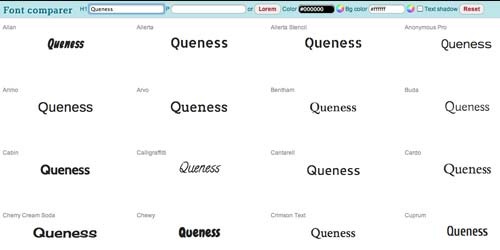
Font comparer
clip_image001
仅是输入一些文字,,来查看它的不同样式。
Color Explorer
clip_image002
通过ColorExplorer,你可以快速、轻松的创建、管理和评估调色,当你使用图片设计、Web设计、布局等时。
SpriteBox
clip_image003
SpriteBox是个WYSIWYG工具,来帮助Web开发者快速、轻松的创建CSS类。
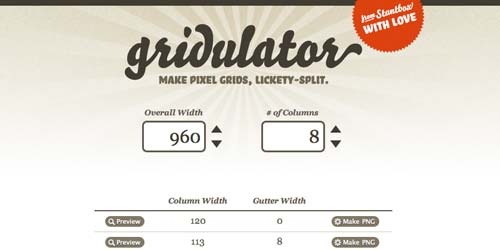
Gridulator
clip_image004
Gridulator可以快速创建网格布局,在png上,帮助你进行Web布局。你会发现photoshop都不顶用的功能。
Markup.io
clip_image005
Markup可以让你通过一组工具在任何的网页上勾画等简单编辑,来表达你的想法。然后你可以通过书签工具栏来在任何时候掉使用它。
Spritebaker
clip_image006
一款针对web开发者和设计师的免费工具。它解析你的css,通过外部媒体“baked”返回一个副本,作为Base64编码数据集。消耗Http请求的时间将大量缩减,大量提升速度(服务器端必须gzip压缩)。
ProCSSor
clip_image007
高级CSS“美化师”,通过严格的方式格式化CSS。 将你的CSS转化为更引人注目的东西,只需一点点的努力。
Minus
clip_image008
拖曳的快速分享工具。
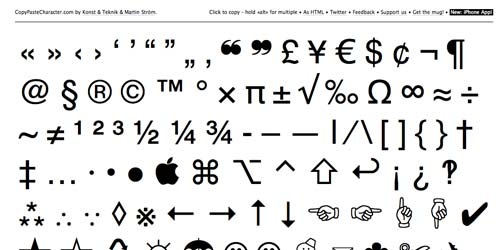
CopyPaste Character
clip_image009
复制、粘贴Web特殊字符的工具。
Name Check
clip_image010
检查你想要的昵称是否能注册的工具,支持数十个流行的社交网站。通过namechk找到最佳用户名。
Scrim
clip_image011
转化email地址为短域名,你可以在各类网站分享它,并且可以规避暴漏邮箱地址,而导致垃圾邮件泛滥。
原文:http://www.queness.com/post/7018/11-useful-online-tools-for-web-development

PHP和MYSQL中关于比较两个日期的方法[转]

转自: PHP和MYSQL中关于比较两个日期的方法[转]

PHP和MYSQL中没有像ASP和MSSQL那样有DateDiff这个函数直接比较,MYSQL5.0已经支持DateDiff了,但是4.x还不支持。。。
下面分别来看PHP和MYSQL查询时如何比较。。。

先看PHP:
$date1 = '2008-05-30';
$date2 = '2008-06-05';
$from = mktime(0,0,0,date("m",strtotime($date1)),date("d",strtotime($date1)),date("Y",strtotime($date1)));
$to = mktime(0,0,0,date("m",strtotime($date2)),date("d",strtotime($date2)),date("Y",strtotime($date2)));
$datediff = ($to - $from)/86400;
echo $datediff;
返回值:6

MYSQL就简单地写一条SQL语句就清楚了:
select * from tb where (TO_DAYS(expiredDate)-TO_DAYS(NOW()))<=3 。。。
5.0以上的MYSQL就直接DateDiff了。。。

以下是某人总结的:
30天以内:
mysql> SELECT something FROM table WHERE TO_DAYS(NOW()) - TO_DAYS(date_col) <= 30;

DAYOFWEEK(date)
返回日期date的星期索引(1=星期天,2=星期一, ……7=星期六)。这些索引值对应于ODBC标准。
mysql> select DAYOFWEEK('1998-02-03');
-> 3

WEEKDAY(date)
返回date的星期索引(0=星期一,1=星期二, ……6= 星期天)。
mysql> select WEEKDAY('1997-10-04 22:23:00');
-> 5
mysql> select WEEKDAY('1997-11-05');
-> 2

DAYOFMONTH(date)
返回date的月份中日期,在1到31范围内。
mysql> select DAYOFMONTH('1998-02-03');
-> 3

DAYOFYEAR(date)
返回date在一年中的日数, 在1到366范围内。
mysql> select DAYOFYEAR('1998-02-03');
-> 34

MONTH(date)
返回date的月份,范围1到12。
mysql> select MONTH('1998-02-03');
-> 2

DAYNAME(date)
返回date的星期名字。
mysql> select DAYNAME("1998-02-05");
-> 'Thursday'

MONTHNAME(date)
返回date的月份名字。
mysql> select MONTHNAME("1998-02-05");
-> 'February'

QUARTER(date)
返回date一年中的季度,范围1到4。
mysql> select QUARTER('98-04-01');
-> 2

WEEK(date)

WEEK(date,first)
对于星期天是一周的第一天的地方,有一个单个参数,返回date的周数,范围在0到52。2个参数形式WEEK()允许你指定星期是否开始于星期天或星期一。如果第二个参数是0,星期从星期天开始,如果第二个参数是1,
从星期一开始。
mysql> select WEEK('1998-02-20');
-> 7
mysql> select WEEK('1998-02-20',0);
-> 7
mysql> select WEEK('1998-02-20',1);
-> 8

YEAR(date)
返回date的年份,范围在1000到9999。
mysql> select YEAR('98-02-03');
-> 1998

HOUR(time)
返回time的小时,范围是0到23。
mysql> select HOUR('10:05:03');
-> 10

MINUTE(time)
返回time的分钟,范围是0到59。
mysql> select MINUTE('98-02-03 10:05:03');
-> 5

SECOND(time)
回来time的秒数,范围是0到59。
mysql> select SECOND('10:05:03');
-> 3

PERIOD_ADD(P,N)
增加N个月到阶段P(以格式YYMM或YYYYMM)。以格式YYYYMM返回值。注意阶段参数P不是日期值。
mysql> select PERIOD_ADD(9801,2);
-> 199803

PERIOD_DIFF(P1,P2)
返回在时期P1和P2之间月数,P1和P2应该以格式YYMM或YYYYMM。注意,时期参数P1和P2不是日期值。
mysql> select PERIOD_DIFF(9802,199703);
-> 11

DATE_ADD(date,INTERVAL expr type)

DATE_SUB(date,INTERVAL expr type)

ADDDATE(date,INTERVAL expr type)

SUBDATE(date,INTERVAL expr type)
这些功能执行日期运算。对于MySQL 3.22,他们是新的。ADDDATE()和SUBDATE()是DATE_ADD()和DATE_SUB()的同义词。
在MySQL 3.23中,你可以使用+和-而不是DATE_ADD()和DATE_SUB()。(见例子)date是一个指定开始日期的 DATETIME或DATE 值,expr是指定加到开始日期或从开始日期减去的间隔值一个表达式,expr是一个字符串;它可以以一个“-”开始表示负 间隔。type是一个关键词,指明表达式应该如何被解释。EXTRACT(type FROM date)函数从日期中返回“type”间隔。下表显示了 type和expr参数怎样被关联: type值 含义 期望的expr格式
SECOND 秒 SECONDS
MINUTE 分钟 MINUTES
HOUR 时间 HOURS
DAY 天 DAYS
MONTH 月 MONTHS
YEAR 年 YEARS
MINUTE_SECOND 分钟和秒 "MINUTES:SECONDS"
HOUR_MINUTE 小时和分钟 "HOURS:MINUTES"
DAY_HOUR 天和小时 "DAYS HOURS"
YEAR_MONTH 年和月 "YEARS-MONTHS"
HOUR_SECOND 小时, 分钟, "HOURS:MINUTES:SECONDS"
DAY_MINUTE 天, 小时, 分钟 "DAYS HOURS:MINUTES"
DAY_SECOND 天, 小时, 分钟, 秒 "DAYS HOURS:MINUTES:SECONDS"

MySQL在expr格式中允许任何标点分隔符。表示显示的是建议的分隔符。如果date参数是一个DATE值并且你的计算仅仅包含YEAR、MONTH和DAY部分(即,没有时间部分),结果是一个DATE值。否则结果是一个DATETIME值。

mysql> SELECT "1997-12-31 23:59:59" + INTERVAL 1 SECOND;
-> 1998-01-01 00:00:00
mysql> SELECT INTERVAL 1 DAY + "1997-12-31";
-> 1998-01-01
mysql> SELECT "1998-01-01" - INTERVAL 1 SECOND;
-> 1997-12-31 23:59:59
mysql> SELECT DATE_ADD("1997-12-31 23:59:59",
INTERVAL 1 SECOND);
-> 1998-01-01 00:00:00
mysql> SELECT DATE_ADD("1997-12-31 23:59:59",
INTERVAL 1 DAY);
-> 1998-01-01 23:59:59
mysql> SELECT DATE_ADD("1997-12-31 23:59:59",
INTERVAL "1:1" MINUTE_SECOND);
-> 1998-01-01 00:01:00
mysql> SELECT DATE_SUB("1998-01-01 00:00:00",
INTERVAL "1 1:1:1" DAY_SECOND);
-> 1997-12-30 22:58:59
mysql> SELECT DATE_ADD("1998-01-01 00:00:00",
INTERVAL "-1 10" DAY_HOUR);
-> 1997-12-30 14:00:00
mysql> SELECT DATE_SUB("1998-01-02", INTERVAL 31 DAY);
-> 1997-12-02
mysql> SELECT EXTRACT(YEAR FROM "1999-07-02");
-> 1999
mysql> SELECT EXTRACT(YEAR_MONTH FROM "1999-07-02 01:02:03");
-> 199907
mysql> SELECT EXTRACT(DAY_MINUTE FROM "1999-07-02 01:02:03");
-> 20102

如果你指定太短的间隔值(不包括type关键词期望的间隔部分),MySQL假设你省掉了间隔值的最左面部分。
如果你指定一个type是 DAY_SECOND,值expr被希望有天、小时、分钟和秒部分。如果你象"1:10"这样指定值,MySQL假设 日子和小时部分是丢失的并且值代表分钟和秒。换句话说,"1:10" DAY_SECOND以它等价于"1:10" MINUTE_SECOND 的方式 解释,这对那MySQL解释TIME值表示经过的时间而非作为一天的时间的方式有二义性。如果你使用确实不正确的日期,结果是NULL。如果你增 加 MONTH、YEAR_MONTH或YEAR并且结果日期大于新月份的最大值天数,日子在新月用最大的天调整。

mysql> select DATE_ADD('1998-01-30', Interval 1 month);
-> 1998-02-28

注意,从前面的例子中词INTERVAL和type关键词不是区分大小写的。
TO_DAYS(date)
给出一个日期date,返回一个天数(从0年的天数)。
mysql> select TO_DAYS(950501);
-> 728779
mysql> select TO_DAYS('1997-10-07');
-> 729669

TO_DAYS()不打算用于使用格列高里历(1582)出现前的值。

FROM_DAYS(N)
给出一个天数N,返回一个DATE值。
mysql> select FROM_DAYS(729669);
-> '1997-10-07'

TO_DAYS()不打算用于使用格列高里历(1582)出现前的值。

DATE_FORMAT(date,format)
根据format字符串格式化date值。下列修饰符可以被用在format字符串中:
%M 月名字(January……December)
%W 星期名字(Sunday……Saturday)
%D 有英语前缀的月份的日期(1st, 2nd, 3rd, 等等。)
%Y 年, 数字, 4 位
%y 年, 数字, 2 位
%a 缩写的星期名字(Sun……Sat)
%d 月份中的天数, 数字(00……31)
%e 月份中的天数, 数字(0……31)
%m 月, 数字(01……12)
%c 月, 数字(1……12)
%b 缩写的月份名字(Jan……Dec)
%j 一年中的天数(001……366)
%H 小时(00……23)
%k 小时(0……23)
%h 小时(01……12)
%I 小时(01……12)
%l 小时(1……12)
%i 分钟, 数字(00……59)
%r 时间,12 小时(hh:mm:ss [AP]M)
%T 时间,24 小时(hh:mm:ss)
%S 秒(00……59)
%s 秒(00……59)
%p AM或PM
%w 一个星期中的天数(0=Sunday ……6=Saturday )
%U 星期(0……52), 这里星期天是星期的第一天
%u 星期(0……52), 这里星期一是星期的第一天
%% 一个文字“%”。

所有的其他字符不做解释被复制到结果中。

mysql> select DATE_FORMAT('1997-10-04 22:23:00', '%W %M %Y');
-> 'Saturday October 1997'
mysql> select DATE_FORMAT('1997-10-04 22:23:00', '%H:%i:%s');
-> '22:23:00'
mysql> select DATE_FORMAT('1997-10-04 22:23:00',
'%D %y %a %d %m %b %j');
-> '4th 97 Sat 04 10 Oct 277'
mysql> select DATE_FORMAT('1997-10-04 22:23:00',
'%H %k %I %r %T %S %w');
-> '22 22 10 10:23:00 PM 22:23:00 00 6'
MySQL3.23中,在格式修饰符字符前需要%。在MySQL更早的版本中,%是可选的。

TIME_FORMAT(time,format)
这象上面的DATE_FORMAT()函数一样使用,但是format字符串只能包含处理小时、分钟和秒的那些格式修饰符。其他修饰符产生一个NULL值或0。
CURDATE()

CURRENT_DATE
以'YYYY-MM-DD'或YYYYMMDD格式返回今天日期值,取决于函数是在一个字符串还是数字上下文被使用。
mysql> select CURDATE();
-> '1997-12-15'
mysql> select CURDATE() + 0;
-> 19971215

CURTIME()

CURRENT_TIME
以'HH:MM:SS'或HHMMSS格式返回当前时间值,取决于函数是在一个字符串还是在数字的上下文被使用。
mysql> select CURTIME();
-> '23:50:26'
mysql> select CURTIME() + 0;
-> 235026

NOW()

SYSDATE()

CURRENT_TIMESTAMP
以'YYYY-MM-DD HH:MM:SS'或YYYYMMDDHHMMSS格式返回当前的日期和时间,取决于函数是在一个字符串还是在数字的
上下文被使用。
mysql> select NOW();
-> '1997-12-15 23:50:26'
mysql> select NOW() + 0;
-> 19971215235026

UNIX_TIMESTAMP()

UNIX_TIMESTAMP(date)
如果没有参数调用,返回一个Unix时间戳记(从'1970-01-01 00:00:00'GMT开始的秒数)。如果UNIX_TIMESTAMP()用一
个date参数被调用,它返回从'1970-01-01 00:00:00' GMT开始的秒数值。date可以是一个DATE字符串、一个DATETIME
字符串、一个TIMESTAMP或以YYMMDD或YYYYMMDD格式的本地时间的一个数字。
mysql> select UNIX_TIMESTAMP();
-> 882226357
mysql> select UNIX_TIMESTAMP('1997-10-04 22:23:00');
-> 875996580

当UNIX_TIMESTAMP被用于一个TIMESTAMP列,函数将直接接受值,没有隐含的“string-to-unix-timestamp”变换。

FROM_UNIXTIME(unix_timestamp)
以'YYYY-MM-DD HH:MM:SS'或YYYYMMDDHHMMSS格式返回unix_timestamp参数所表示的值,取决于函数是在一个字符串
还是或数字上下文中被使用。
mysql> select FROM_UNIXTIME(875996580);
-> '1997-10-04 22:23:00'
mysql> select FROM_UNIXTIME(875996580) + 0;
-> 19971004222300

FROM_UNIXTIME(unix_timestamp,format)
返回表示 Unix 时间标记的一个字符串,根据format字符串格式化。format可以包含与DATE_FORMAT()函数列出的条
目同样的修饰符。
mysql> select FROM_UNIXTIME(UNIX_TIMESTAMP(), '%Y %D %M %h:%i:%s %x');
-> '1997 23rd December 03:43:30 x'

SEC_TO_TIME(seconds)
返回seconds参数,变换成小时、分钟和秒,值以'HH:MM:SS'或HHMMSS格式化,取决于函数是在一个字符串还是在数字
上下文中被使用。
mysql> select SEC_TO_TIME(2378);
-> '00:39:38'
mysql> select SEC_TO_TIME(2378) + 0;
-> 3938

TIME_TO_SEC(time)
返回time参数,转换成秒。
mysql> select TIME_TO_SEC('22:23:00');
-> 80580
mysql> select TIME_TO_SEC('00:39:38');
-> 2378